
Turn your infrastructure into an AI business.
Turn your servers into an AI service your support team can run.
AI Admin Panel lets you offer AI apps and agents to your hosting customers, on servers you control. Each customer gets their own account, their own apps and only the controls you allow.
Public install opens soon. The free edition covers up to three customers and five services. Each paid edition comes with a 14-day trial.
§ 01
“Can you host our AI?”
Your customers already trust you with their website and their email. So when they want an AI agent or a chat app for their team, they ask you.
You'd like to say yes. Then you picture the work. Each request becomes a one-off server, set up by hand. Every small change lands on your support desk. And you can only sell what your team can support.
AI Admin Panel runs those apps in one panel, on a server you control. Every customer and every app gets a clear owner, and your support team works from the same place for each one.
§ 02
Your customers
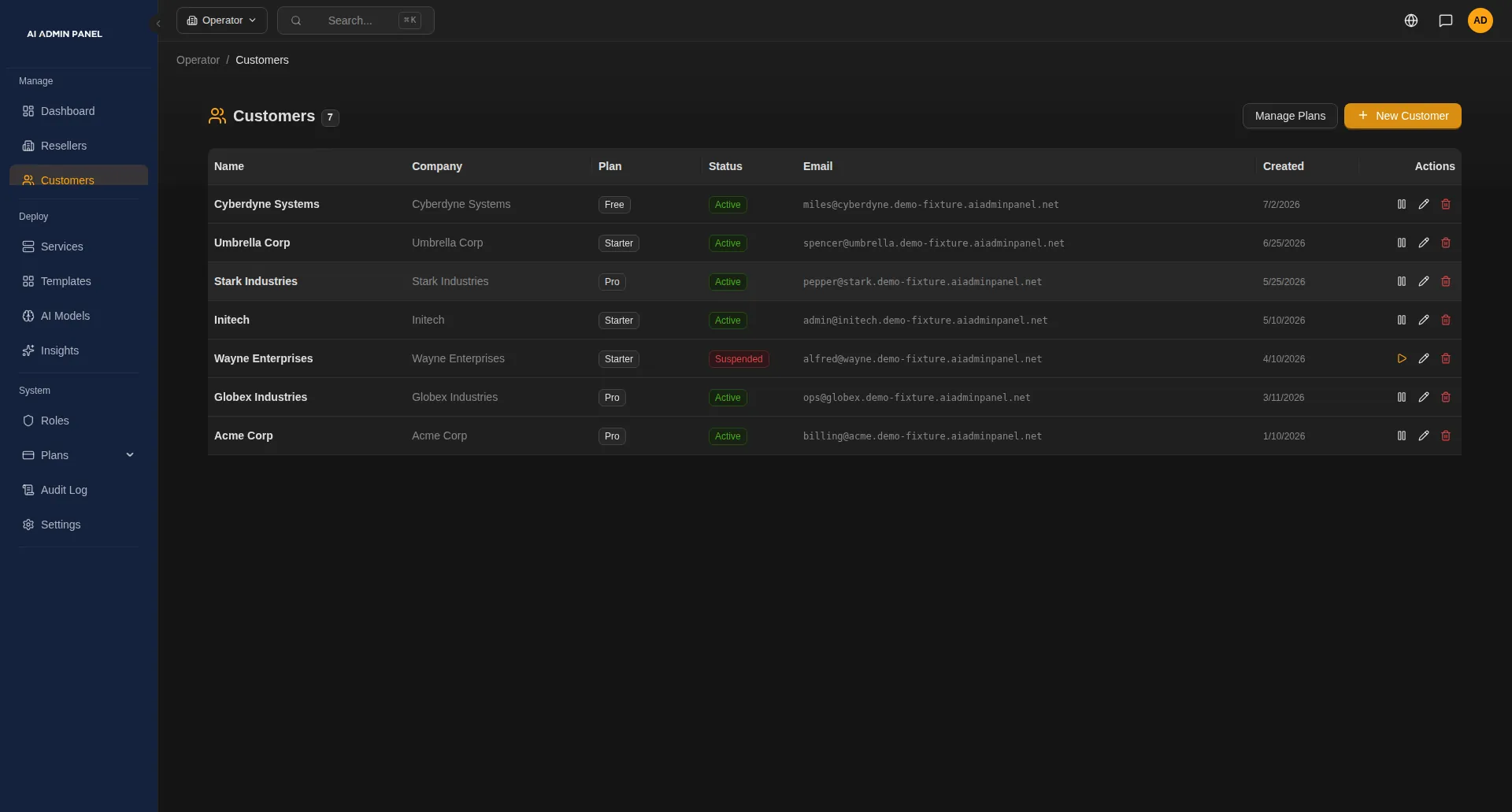
Customers ask the same small things again and again: is my app running, can you restart it, what's in my plan?
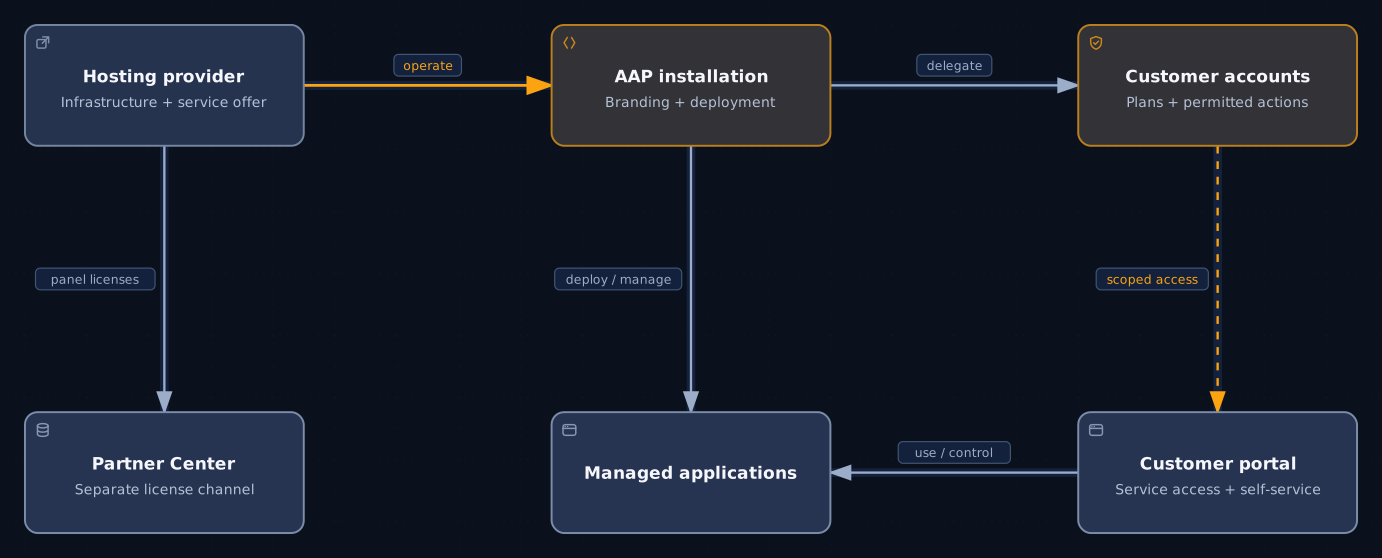
Give each customer their own account, and invite the people on their team. They sign in to their own portal and see only their own apps. There they can check an app, restart it and see what their plan includes, when you allow it.
Set up plans that decide how many apps and how much capacity each customer gets. The panel checks the plan each time an app is deployed for that customer.
If you work with resellers, give each one their own part of the panel. They add their own customers and look after those customers' apps.
When a customer calls, your support person can open that customer's portal and see what they see.
Note
Plans, roles and resellers inside the panel come with the Web Host edition. Changing a plan later doesn't stop or resize apps that are already running.
 Open full size
§ 03
Your servers
You want every new AI request to run the same way, on servers you control.
AI Admin Panel installs on your own Linux server. When a customer asks for AI, you pick the app from the catalog and put it live there. The catalog lists 50 apps in version 2.17.0. They range from agents like OpenClaw and Hermes to workflow tools like n8n, chat apps and local models.
A customer's own app can go live from a public Git repository too, next to the catalog apps.
You also see how the apps are doing. The panel flags what needs attention, on the server and in each app, and you open an app's logs from there. Alerts reach your team by email or in a chat tool such as Slack.
Note
The catalog lists what we package. Check each app on your own setup before you sell it.
§ 04
Your rules
Outside AI services charge for every request. You want to know which customer is spending, and set a limit before the bill arrives.
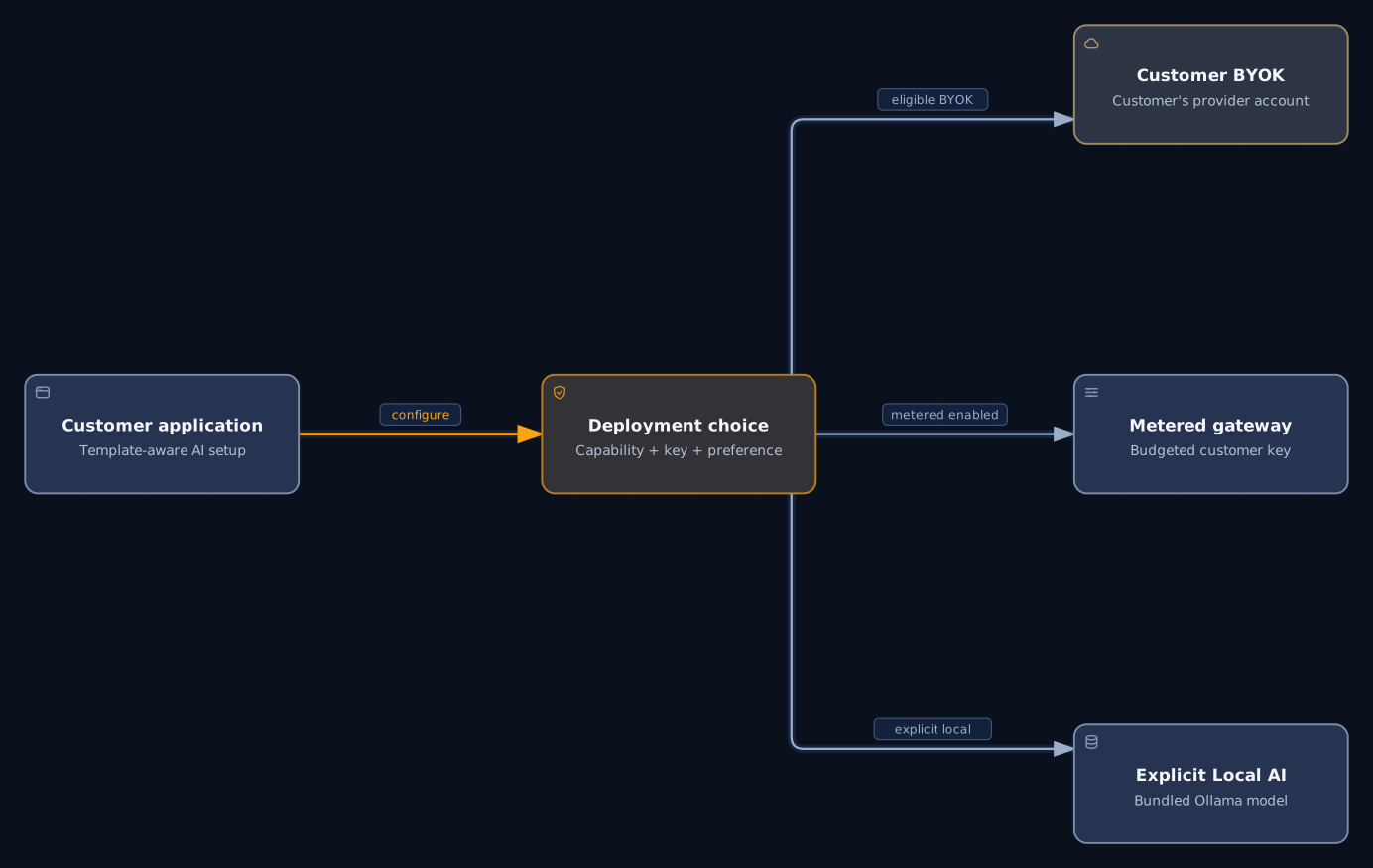
For apps that support it, you choose the AI route when you deploy. The customer can bring their own key and pay their AI provider directly. You can give them your metered key with a monthly budget. You and the customer both see what is spent and what is left. Or the app can use a local model on your server. Other apps take an AI key in the deploy form or set their AI provider inside the app.
You also decide what each customer may do. Optional features, such as their own AI keys or API access, start switched off. You switch on only what you are ready to support.
Caution
If an app uses an outside AI service, its requests leave your server. Budgets cover only the AI calls made through your metered key.
 Open full size
§ 05
From a customer's request to a running app
Say a customer asks for an AI agent for their team. Here is how your team puts it live.
Add the customer.
Create their account, even from inside the deploy form. In the Web Host edition, you also give them a plan.
Pick the app.
Choose an agent such as OpenClaw from the catalog. The panel checks your server against the app's minimum size first.
Choose its AI route.
OpenClaw is one of the apps that takes its AI route from the panel. Give it the customer's own key, or your metered key with a monthly budget.
Follow the deploy.
Your team sees each step as it runs. The new app starts private, behind the panel sign-in, until you publish it.
Let the customer in.
Invite the people on their team. In their portal they open the app, see whether it is running and restart it if you allow it.
Keep it running.
The panel flags what needs attention, and alerts reach your team. When the customer calls, open their portal and see what they see.
§ 06
If you also sell the panel itself
When you sell licences through resellers, you need to know who has which one, and what each month costs you.
If you sell AI Admin Panel to your own customers, or through resellers below you, you do it in the Partner Center. It runs at partners.aiadminpanel.com, separate from the panel you run.
There you issue licences in the right edition, and later change, suspend or end them. You add resellers below you. Once we have agreed a contract with them, they issue licences to their own customers. Each month you get a statement of what you owe us, which you can export and check against your own records.
Resellers inside your panel are a separate thing. They look after their customers' apps on your server.
Note
Partner terms are agreed directly with us, and you see them in the Partner Center. Statements cover panel licences only. Your customers' invoices still come from your own billing system.
§ 07
Which edition you need
| Web Host | Web Host is the edition for hosting providers. It adds organisations, roles, projects, resource and service plans, and resellers to everything in Power User. |
|---|---|
| Power User | Power User removes the free limits on customers and services, and adds custom domains and S3 backup. Plans and resellers need Web Host. |
| Free | The free edition is for trying it, with up to three customers and five services. Each paid edition comes with a 14-day trial, so you can test Web Host on your own server first. |
Note
Each paid licence is bound to one installation, and each installation is one panel.
§ 08
Questions hosting providers ask
Can it replace our billing system?
No. Your billing system keeps sending invoices and taking payments. In the Web Host edition, the panel keeps each customer's plan, its status and its end date. Next to them sits the reference from your billing system. On your metered key, you see what each customer has spent on AI. We are working on connections to billing systems, and we'll tell you when they ship.
Can we sell it under our own brand?
Your customers buy the AI service from you. Inside the panel, your customers see your company name and logo. Customers of your resellers see your name and logo too. Selling the panel itself is covered by partner terms agreed directly with us. Talk to us about what you have in mind.
Can we see all our servers on one screen?
Each installation is one panel, with its own customers and apps. If you run several, you open each one on its own. If you already use Prometheus, it can collect server and app metrics from each panel once you switch that on.
Will every app in the catalog work for our customers?
We can't promise it for every setup. The catalog lists 50 apps in version 2.17.0, and each deploy checks your server against the app's minimum size. Listed means we package it. Test each app on your own setup before you sell it. Each app also comes with its makers' own licence, so check that it allows the way you plan to sell it.
Do we have to replace cPanel or Plesk?
No. Your hosting panel keeps running your websites and email. AI Admin Panel runs the AI apps, on a separate server you set up for it.
What leaves our servers?
The apps and their data run on your server. Some things leave it: requests to an outside AI service, backups to your storage, and emails and notifications. So do licence checks, updates, certificates and DNS, code fetched from Git, model downloads and any chat app you connect. Profile pictures load from Gravatar, using a code made from each user's email address. Each app can also make its own connections. For apps that support it, a local model keeps the AI requests on your server. The licence agreement also lets the panel send us usage statistics, such as counts of customers and services.